

Music visualizer studio for Windows · Free
Turn your song into a music video.
Pick one of 121 audio-reactive visualizers, drop in your track and cover, and export a video that moves with every beat — widescreen, vertical or square, up to 4K. No account, no watermark, no upload.
Free · Windows 10 and 11 (64-bit)
- 121visualizers
- 4K · 60 fpsexport
- 16:9 · 9:16 · 1:1 · 4:5every platform
- Real timeGPU export speed
- Offlineyour music stays with you
Made in DemRender
Every frame driven by the music.
These clips were exported straight from DemRender, on its own demo tracks. Point at one to see it move — click for sound.
…and 112 more, from neon line art to cinematic GPU scenes. Every one of them can be changed down to the last setting.
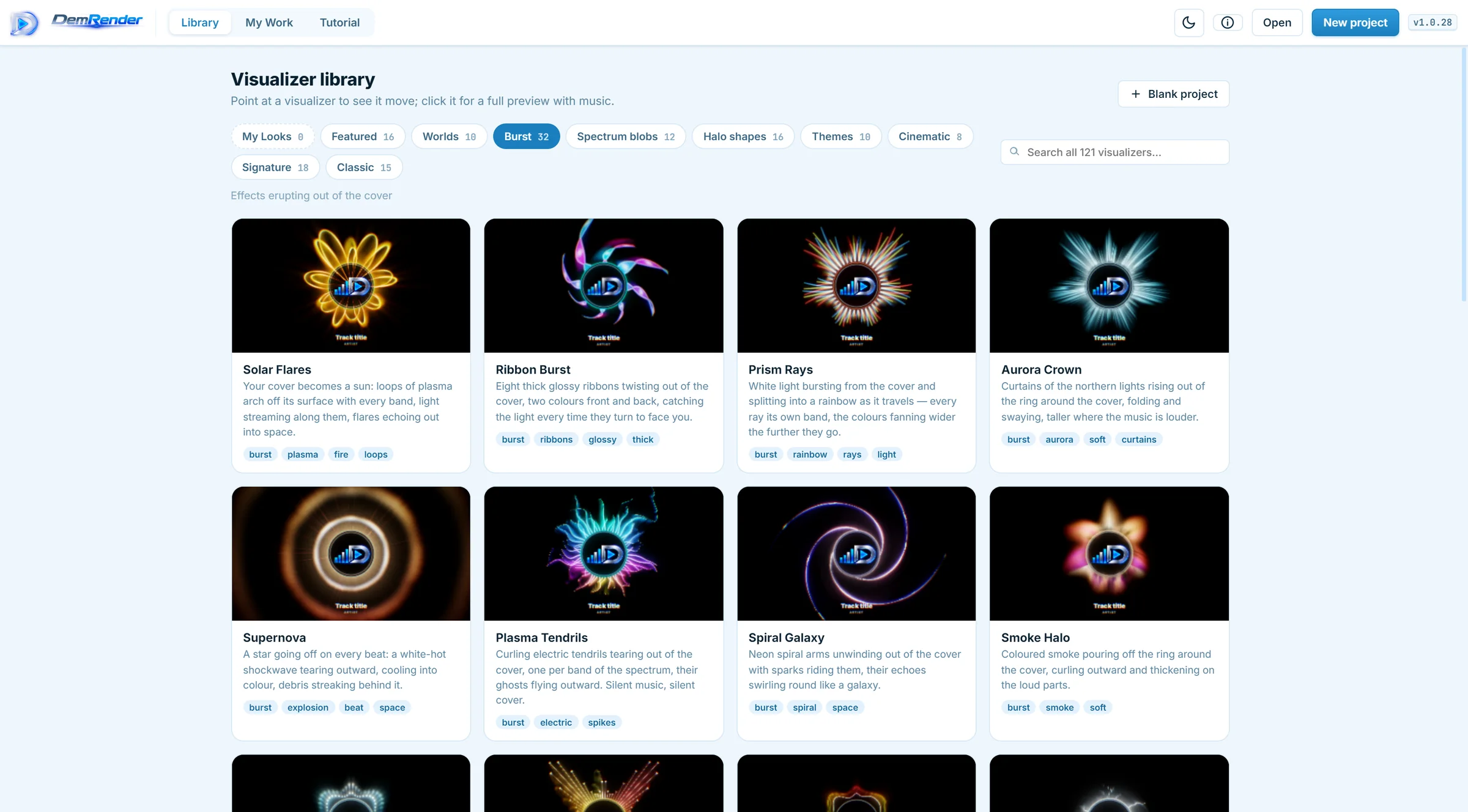
The library
121 visualizers. Ten families.
Effects that erupt out of your cover, neon halo shapes, spectrum blobs in the style of the big music channels, line-art worlds and cinematic scenes rendered on the graphics card. Point at one to see it move, open it for a full preview with music, and use it in one click.
- Preview every look with your own song before you choose
- Keep your tuned settings as My Looks — your own presets
- Nothing moves in silence: the effects grow out of the sound
The creator
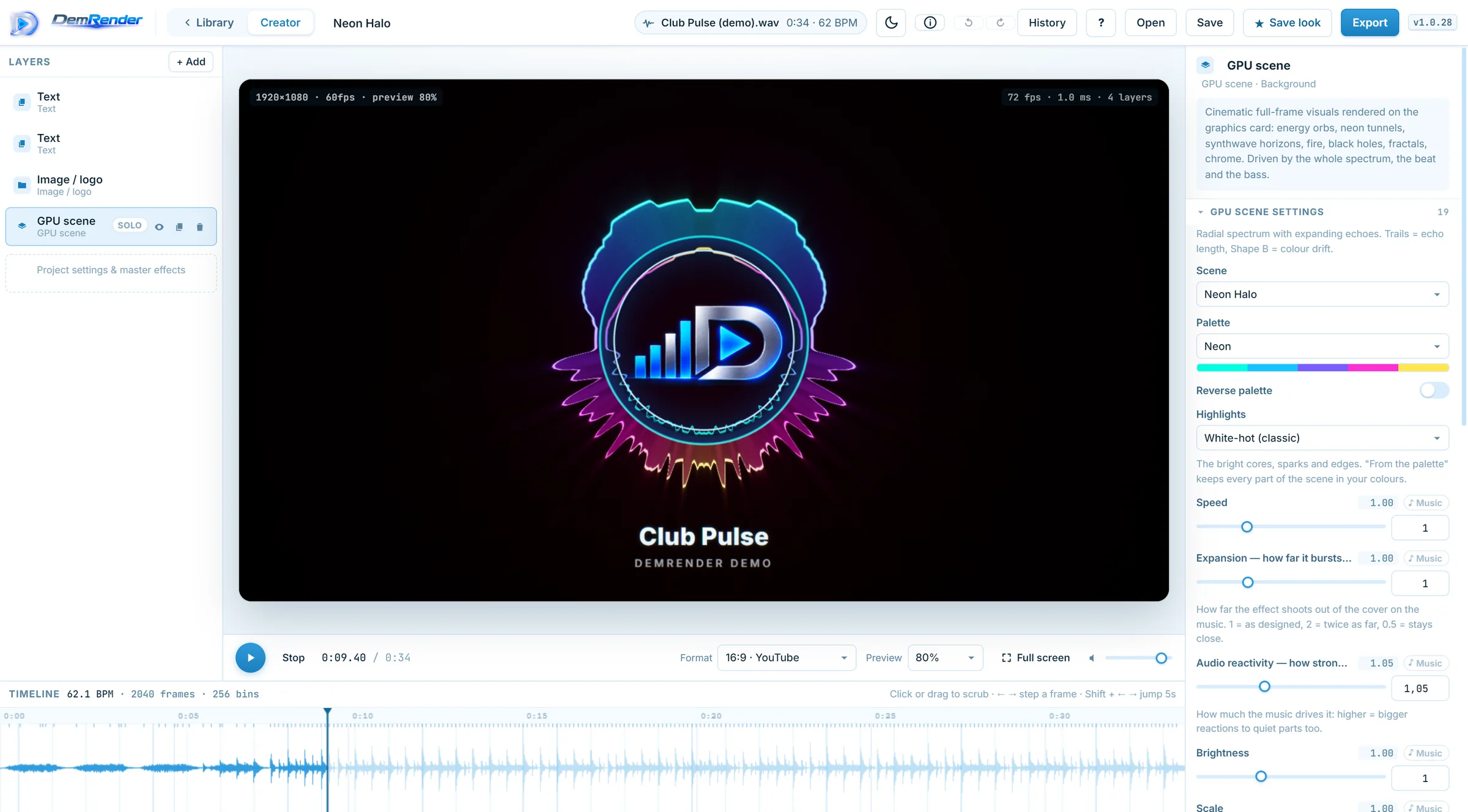
A full studio underneath.
Every visualizer is built from layers you can open and change: GPU scenes, spectrum and waveforms, particles, shapes, your cover and animated text. Make any setting follow the bass, the beat or the vocals — or draw it on the timeline.
- Colours taken from your cover in one click
- Effects on the beat: zoom, shake, RGB split, glitch, ripple
- Animated titles and lyrics you sync by tapping along
- An image catalog of original covers and backdrops, free to publish
- Full undo history, autosave and crash recovery
Export
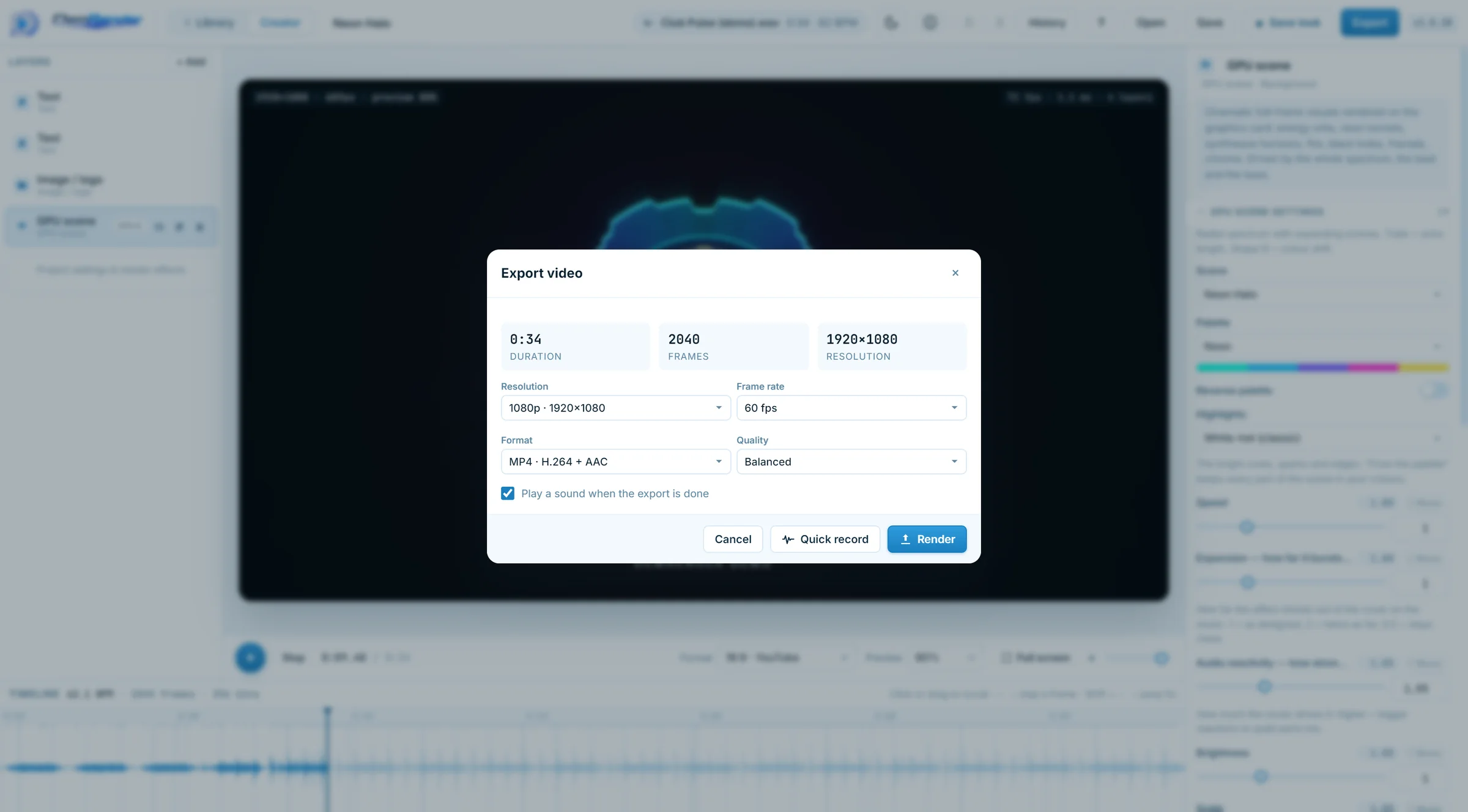
Export fast. Post everywhere.
MP4 goes straight from the graphics card to the video encoder — on a recent PC a 1080p60 song exports about as fast as it plays. Choose the shape for each platform and the visualizer, the cover and the text rearrange themselves.
- 16:9 for YouTube · 9:16 for Shorts, Reels and TikTok · 1:1 · 4:5
- Up to 4K at 60 fps · MP4, WebM, or ProRes for editing
- Keep working in another tab while it renders — a chime tells you when it's done
How it works
From track to video in three steps.
- 1
Pick a look
Browse the library and preview any visualizer with your song.
- 2
Make it yours
Add your cover, title and colours. Change as little or as much as you like.
- 3
Export and post
Choose the format for your platform and render. Your video is ready to upload.
Free, and yours
Your videos belong to you.
DemRender is free to use, at home or at work. The videos you make are yours: publish and monetise them on YouTube, TikTok, Instagram or Spotify Canvas, no credit required. No account, no watermark — and your songs never leave your computer.
- No watermark
- No account
- No upload
- Automatic updates
FAQ
Questions and answers.
Is DemRender really free?
Yes. The whole app — every visualizer, the creator and export up to 4K — is free. We may add an optional Pro edition later; what is free today stays free.
Is there a watermark?
No. Your videos come out exactly as you made them.
Can I monetise the videos I make?
Yes. The videos are yours, and DemRender's visualizers and catalog pictures are free to use in them, including on monetised channels. You need the rights to the music and pictures you bring yourself — your own tracks, or ones you have a licence for.
What do I need to run it?
Windows 10 or 11 (64-bit), 8 GB of memory and a graphics card from the last few years with up-to-date drivers. For 4K and 60 fps a dedicated graphics card is recommended. About 450 MB of disk space.
Windows says “Windows protected your PC” when I run the installer.
DemRender is new and its installer does not carry a code-signing certificate yet, so Windows SmartScreen may warn about it. Click More info and then Run anyway. Download DemRender only from this page or from our GitHub releases.
Is there a version for Mac or Linux?
Not yet — DemRender runs on Windows for now.
How do updates work?
DemRender looks for a new version when it starts and downloads it in the background. When it's ready, a Restart to update button appears — or it simply installs the next time you close the app.
Is my music uploaded anywhere?
No. Everything happens on your computer: your songs, pictures and projects never leave it. The only thing DemRender asks the internet is whether a new version exists.
Questions, ideas, a bug?
Write to us — we read everything, and ideas for new visualizers are very welcome.